The problem
A task that isn’t urgent can quietly slip when it only lives inside a chat thread. The conversation ends, and what’s next, what’s already done, and what got dropped along the way all have to be reconstructed from memory or re-explained from scratch the next time you pick it up.
Checking status the obvious way, opening your phone, risks derailing into everything else waiting there before you’ve even found the task list.
The goal: task tracking that survives the conversation it started in, and “what’s next” has a real answer without opening anything at all.
The approach
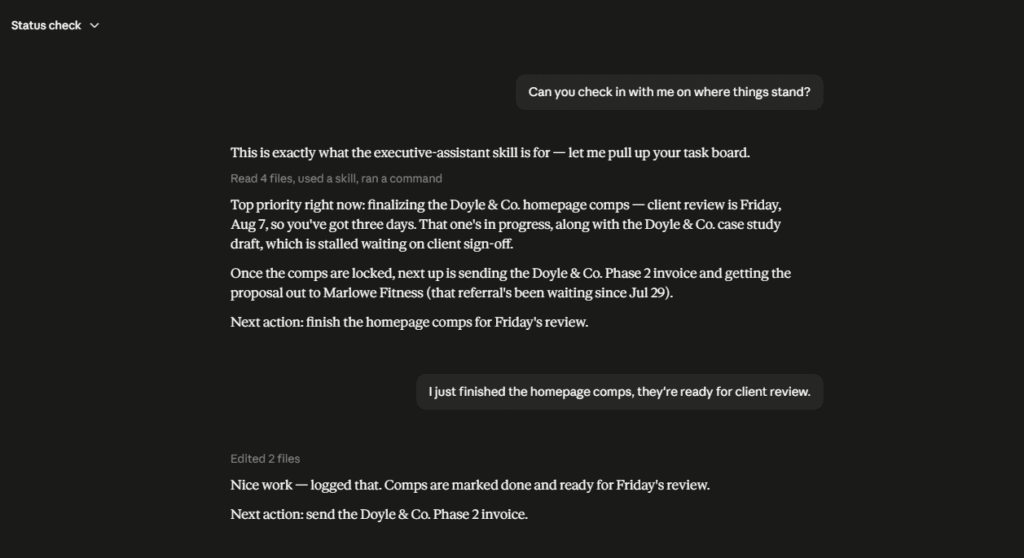
The goal is state that outlives any single chat: one living board file, read and updated every time the skill runs, instead of a status held only in a transcript that eventually scrolls out of reach.
Picture a ledger rather than a conversation: a correction is a new dated line added to the bottom, never an old line crossed out and rewritten. The skill reads that ledger before it says anything, so the board itself decides what happens next, not your memory of the last conversation.
How does the Executive Assistant skill remember tasks across conversations with no shared history?
The Executive Assistant skill reads and updates one living board file instead of a chat transcript. Every correction appends a new dated line rather than overwriting the old one, so the file itself decides what happens next, not your memory of the last conversation. It triggers on natural phrasing like “what’s next,” with no command required.
How it works
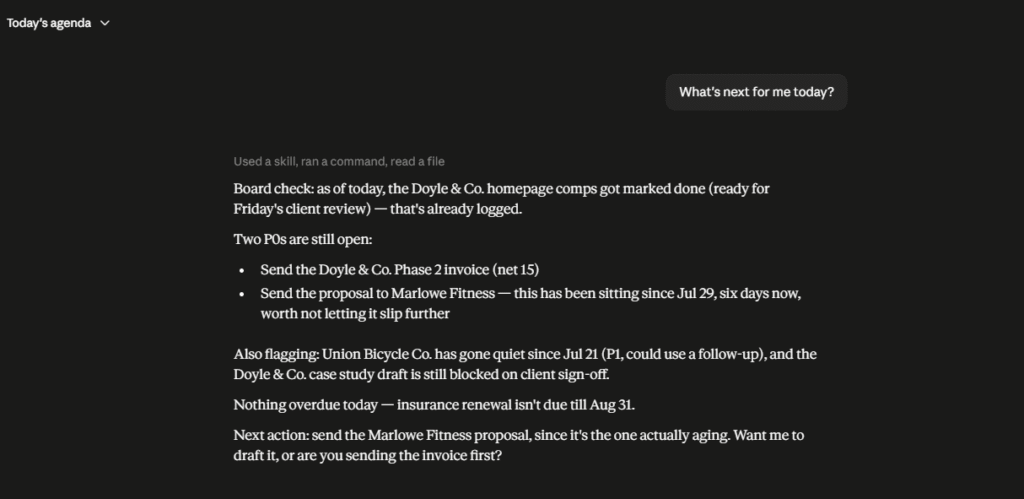
Five things happen every time the skill runs:
- The published skeleton documents structure and rules only. The actual board content, real tasks and real notes, is personal and stays private; a stranger installing this gets the mechanism, not your data.
- It triggers on natural cues, “what’s next,” “where am I,” “keep me on track,” not only when you name the board directly.
- It finds the board on its own. A
START-HERE.mdfile marks a companion operator-brain system; the skill follows its pointer to the board’s real location instead of asking twice. - It reads the current board first, to get real state (what’s pending, in progress, or done) before saying anything back to you.
- It updates status markers as tasks move, and appends a dated ledger entry for anything worth remembering later, instead of editing over the note that was already there.
Design decisions worth noting
- One source of truth, ledger-style. The skill reads and updates a single board file, and history is never overwritten. A change adds a new dated entry instead of erasing the old one, so the board doubles as a record of how a task actually moved, not just its current state.
- Continuity across sessions. Because state lives in the file and not the chat, the assistant behaves like the same teammate every time, even across conversations that share no history with each other.
- Trigger-based invocation. It activates on natural phrasing instead of requiring the board to be named directly, so picking the thread back up doesn’t depend on remembering a specific command in advance.
- A test, not just a rule, for where a decision belongs. Would it still matter if every task on today’s board were forgotten? Yes, it belongs in the companion operator-brain system; no, it stays here.
- Keeps the other system’s inventory current too. Creating a file inside that companion system, most often the task board itself, updates its
paths.mdin the same turn, not as an afterthought.
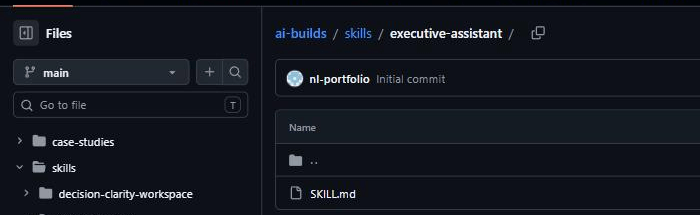
Built to run alongside that companion system (case studies 02 and 07): that holds identity and standards, this holds what to work on today, and reads the other’s files rather than duplicating them.
What this demonstrates
This is a reusable tool with encoded judgment, not a to-do list wrapper: a single source of truth, a ledger-style audit trail that’s never overwritten, and trigger-based invocation that survives across sessions with no shared history.
That’s the same persistence model behind an internal agent or copilot a team actually relies on to track real work, not just answer questions about it.
Using this, you can build the same pattern into anything that needs to remember state across sessions with no memory of each other: a support tool that shouldn’t lose a ticket’s history between shifts, or an onboarding tracker that actually remembers what happened last time.
Common questions
Does Executive Assistant work across different conversations that share no history?
Yes. Because state lives in one board file, not the chat, it behaves like the same teammate every time, even across conversations with no shared history.
Is the actual task board public?
No. The published skeleton documents structure and rules only; the real board content, real tasks and notes, is personal and stays private.