Quick answer
- Workflow automations run a business task on set rules instead of manual copying.
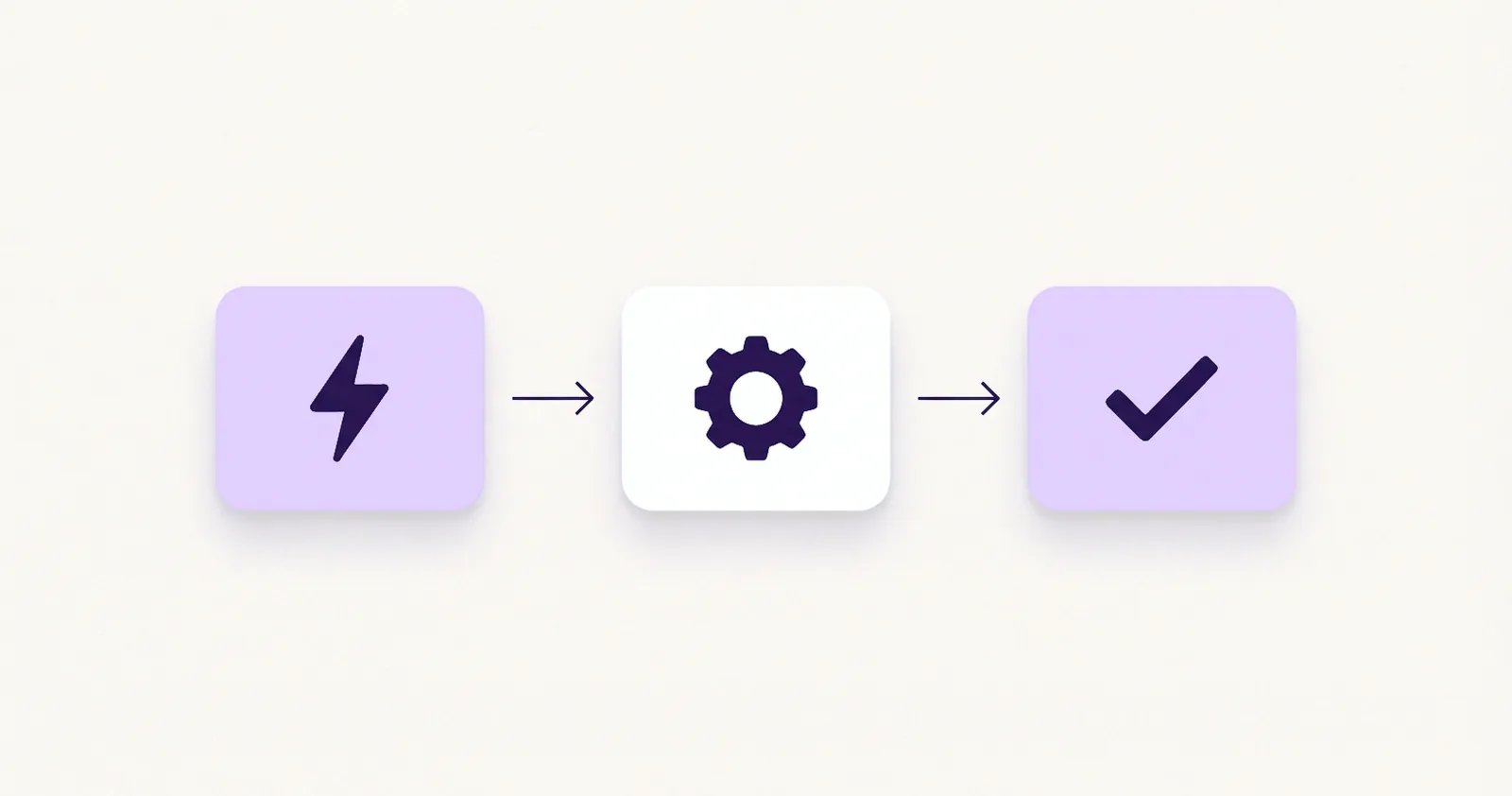
- Every workflow has a trigger, one or more actions, and a result.
- AI can be one step inside a workflow, and many workflows use no AI at all.
- Automations come at two levels: native to one tool, or built across tools with a connector.
- The free Automation Readiness Worksheet helps pick the first workflow to automate.
What does workflow automation mean?
Workflow automation is software carrying out the repeat steps of a business task by following rules a person set up in advance.
Workflow and automation each carry half of the meaning:
- A workflow is the path a task takes from start to finish.
- Automation means a rule moves the task along, so the next step never depends on someone remembering it.
The Workflow Management Coalition, an industry standards body, described a workflow in its 1996 glossary as the automation of a business process, in whole or part, where documents, information, or tasks pass from one participant to another according to a set of procedural rules. (source)
The workflow automation meaning fits in one sentence: an event starts the work, and software does the steps that follow. The same idea is sometimes spelled work flow automation, with two words.
In everyday terms, the automated workflow meaning is a path that runs on its own once something sets it off. Nothing about it is magic, because a workflow automation does only what its rules say.
What are the three parts of every workflow?
Every workflow, automated or not, has three parts:
- Trigger: The event that starts the work. A visitor submits a form, a client books a call, or an invoice passes its due date.
- Action: What happens next. A workflow can have one action or several, such as sending a confirmation, adding a row to a spreadsheet, creating a task, or scheduling a reminder.
- Result: The finished state that shows the work is done. The lead is logged, the client has the details, and the owner knows.
Many workflows add a check between the trigger and the action, such as sending one message to people who picked one service and another message to everyone else. Even then, the three parts stay the same.
How do workflow automations differ from manual work?
The difference lies in what starts the job, what guides it, and what remains afterward.
| Manual work | Workflow automation | |
|---|---|---|
| What starts the task | A person remembers it or spots an email | An event, such as a form submission, starts it |
| How the steps are followed | From memory, habit, or a note | By written rules, in the same order each run |
| What happens with an exception | A person decides on the spot | The rules handle it or hand it to a person |
Neither column wins everywhere, because manual work handles surprises well and workflow automations handle repetition well.
The five-question test in Before You Automate: 5 Questions to Ask About Any Business Process sorts tasks into four outcomes: Automate now, Simplify first, Keep manual, or Revisit later.
Where do service businesses and coaches use workflows?
Service businesses and coaching practices run on a short list of repeat tasks, so these tasks are common places to apply automation and workflow thinking:
- Lead intake: A new inquiry triggers a confirmation to the lead and a notice to the owner.
- Booking confirmations and reminders: A booked call triggers a confirmation and a reminder before the call.
- Invoice reminders: An invoice that passes its due date triggers a polite reminder. Any decision about payment stays with a person.
- Client onboarding: A signed agreement triggers a welcome message, an intake form, and a shared folder.
Each of these also contains moments where tone matters, such as the first reply to a worried client. Automations and workflows built for these tasks therefore keep those moments with a person and hand the routine steps around them to software.
Picking the first one to build is a decision of its own, and the answer differs from one business to the next.
Does a business need software to build one?
A workflow can live on paper, but the automation part needs software to run the rules, and digital workflow automation comes at two levels:
- Level 1: native automations. The rules live inside one tool the business already uses. A mailing sequence in an email marketing tool is a common example: a new subscriber joins a group, and the tool sends the welcome emails on schedule.
- Level 2: integrations. The trigger sits in one tool and the action in another, so a third tool carries the work between them. Three or more tools take part: at least the two apps being connected and the connector, such as Make, Zapier, or n8n. Builders usually arrange automated digital workflows at this level as steps on a visual canvas, and many need no code.
What does a Level 2 build look like in Make?
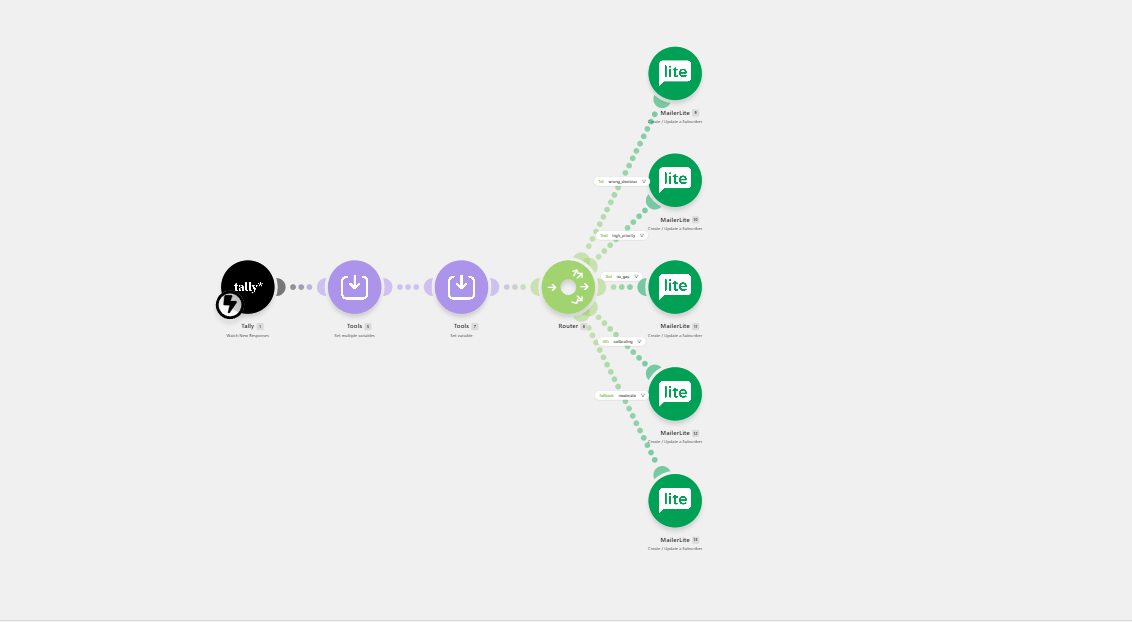
Case study: one build in Make. This lead-sorting build is a Level 2 integration. Tally and MailerLite are the two apps, and Make is the connector, so three tools take part:
- Tally collects a few answers in a form.
- Make turns the answers into six yes-or-no signals and runs them through a set of rules in priority order, where the first match wins.
- MailerLite stores the subscriber and places that person in one of five groups. The groups come from an analysis of past customer data. Each group starts its own email sequence, which is a Level 1 automation inside MailerLite.
The result is automatic lead qualification, with no one hand-picking a reply and each reply still customized.
The screenshot below shows how it looks on the Make canvas, where each circle is one step and arrows join the steps in the order they run.
A native automation can be enough when everything happens inside one tool, and an integration earns its place when the steps cross tools.
Choosing a connector is a separate decision, and it comes after the process is clear.
What does a workflow look like in a small business?
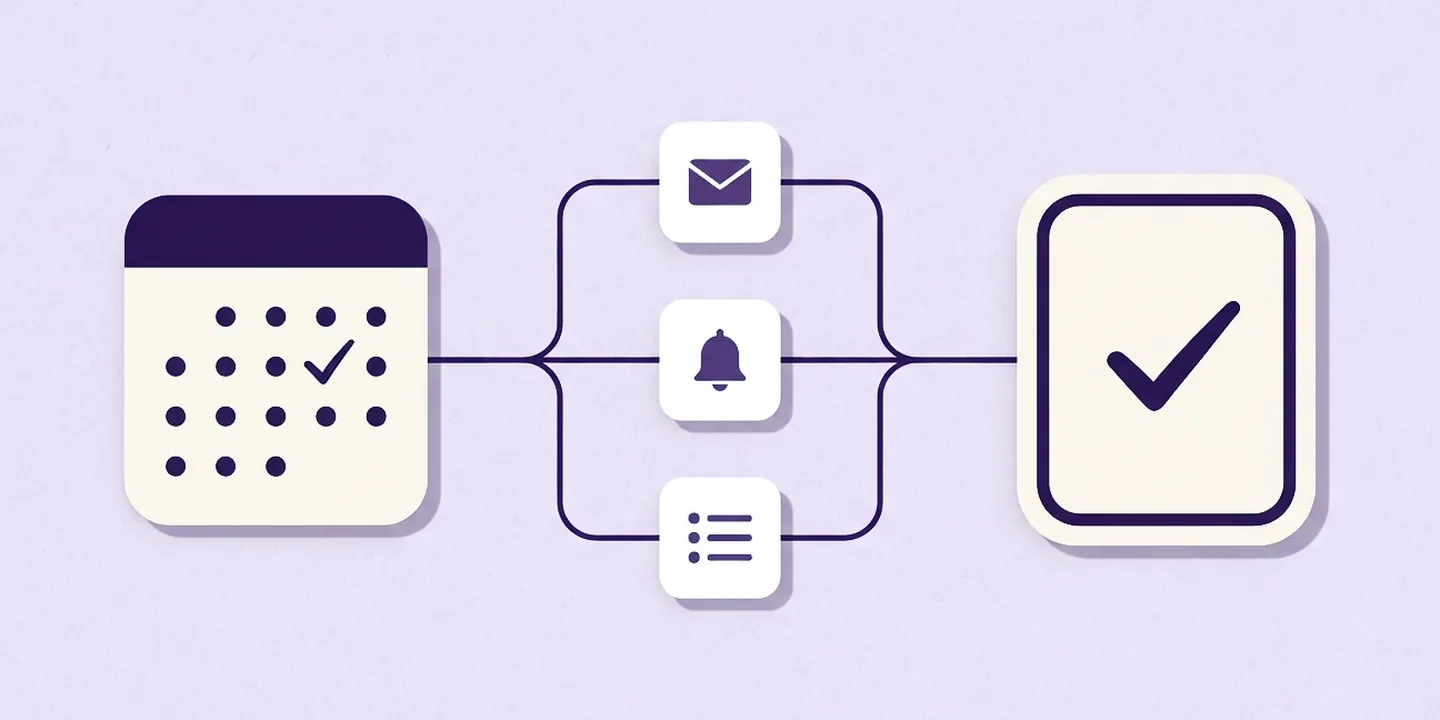
Picture a coaching practice that offers a free intro call. A visitor books a time on the calendar, and that booking is the trigger. Three actions can follow:
- a confirmation email goes out,
- a reminder goes out the day before, and
- a new row appears in the client list.
As a result, the visitor knows when and how to show up, and the client list holds a record that nobody typed by hand.
Depending on the setup, the calendar tool could send the confirmation and reminder on its own (Level 1), and adding the list row could take an integration through a connector (Level 2). Still, each version has the same three parts.
Try it: Are you a business owner? Think of one task copied from one place to another this week. What started it? Which steps ran? And what was the result? Those three answers are a workflow, written on paper.
Is workflow automation right for every business?
Workflow automations suit tasks that repeat. For example, a task that happens a few times a year, changes with every case, or depends on judgment often stays manual, while a task that repeats every week with the same steps is a candidate.
Five questions sort any task into one of four outcomes: does it repeat, what does it cost today, what must stay human, what does it touch, and what happens when it breaks. The free Automation Readiness Worksheet holds them on two fillable pages.
No-code builds have limits, and a workflow that outgrows them needs a different approach.
Conclusion: start with one task on paper
Workflow automation comes down to three parts: a trigger starts the work, actions carry it out, and a result shows it is done. Software only runs the rules, so a clear trigger, action, and result matter more than the choice of app.
A business owner who writes down the trigger, action, and result of one task this week ends up with a workflow on paper. That page is the starting point for any tool, and it already shows whether the task is worth building.
Frequently asked questions
What is workflow automation in simple terms?
Workflow automation is software carrying out the steps of a business task by following rules a person set up in advance. Something starts it, such as a form submission, and the software handles the steps that follow, such as sending a confirmation. The same task runs the same way each time.
Is workflow automation the same as AI?
Workflow automation follows fixed rules, so the same trigger produces the same steps every time. A workflow can include AI as one step, such as drafting or sorting text, and many workflows use no AI at all. The two can work together.
Does a small business need to code to automate a workflow?
A business can build many small business workflows without code. Native automations sit in a tool’s own settings, and integrations use a connector with a visual canvas. Code becomes useful when a task needs custom logic or a system no connector reaches.
What is the smallest workflow a business can automate?
The smallest workflow has one trigger, one action, and one result. A form entry that adds a row to a spreadsheet is a common example. The trigger is the submission, the action is adding the row, and the result is a record that nobody typed by hand.
What is an example of workflow automation for a service business?
A call booked on a calendar can trigger a confirmation email, a reminder the day before, and a new row in the client list. The trigger is the booking, the actions are the email, the reminder, and the row, and the result is an informed client and an up-to-date record.
Sources
- Workflow Management Coalition, “Terminology & Glossary” (WFMC-TC-1011, Issue 2.0, June 1996), archive copy hosted by the University of Edinburgh AIAI. Checked November 4, 2026.